
Digitize documents directly in the accounting program!
Now you can digitize all PDF purchase invoices, expenses, sales invoices, and warehouse receipts conveniently line by line directly in Excellent Books. Simply select the desired files and click the “digitize” button in Excellent Books. It’s that simple!
Activating and using the service
1. Activate CostPocket
To use the service, the CostPocket interface must be activated in the program.
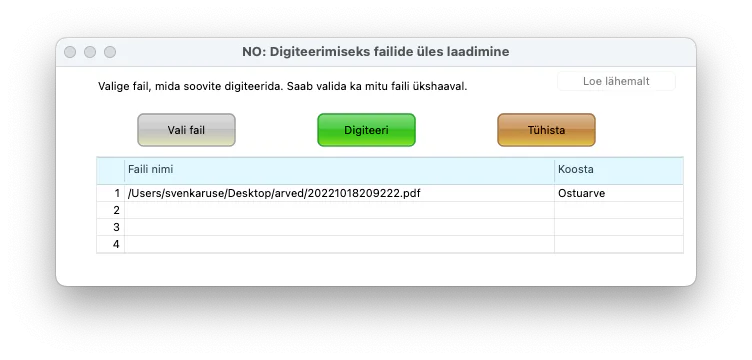
2. Find the "Digitize PDF" button
There is a "Digitize PDF" button in the header of the window for browsing Purchase Invoices, Expenses, Sales Invoices and Expenses

3. Import invoice
A new window will open where you can import a PDF document.

4. Confirm digitization
Check the document and confirm.
Activate the service and use the first calendar month for free!
The service is free for the first calendar month, regardless of the number of digitized documents. Starting from the second calendar month, 5 digitized documents are free each month, then 0.13 euros + VAT per document.
The invoice is submitted to the company that has entered into an Excellent Books usage agreement with Excellent Business Solutions Eesti AS for all companies in its database. The invoice reflects the registration numbers of the companies that used the service separately and the number of digitized documents to be invoiced.
Digitization solutions are offered by Costpocket (manual) and Graip.ai (manual)


project manager
Interested? Try it for free!
Find out more about the possibilities of Excellent Books business software: leave your e-mail and we will contact you personally.
Interested? Try it for free!
Find out more about the possibilities of Excellent Books business software: leave your e-mail and we will contact you personally.
Thank you!
Your contact details have been sent to our customer manager. We will contact you.
Error!
Failed to send data.